Clinical placement management for medical schools
Clinical placements.
Running like clockwork.
One live system for timetables, attendance, sign-offs and placement communication.
- Set up with your placement team
- Roles assigned server-side
- No patient-identifiable data, ever
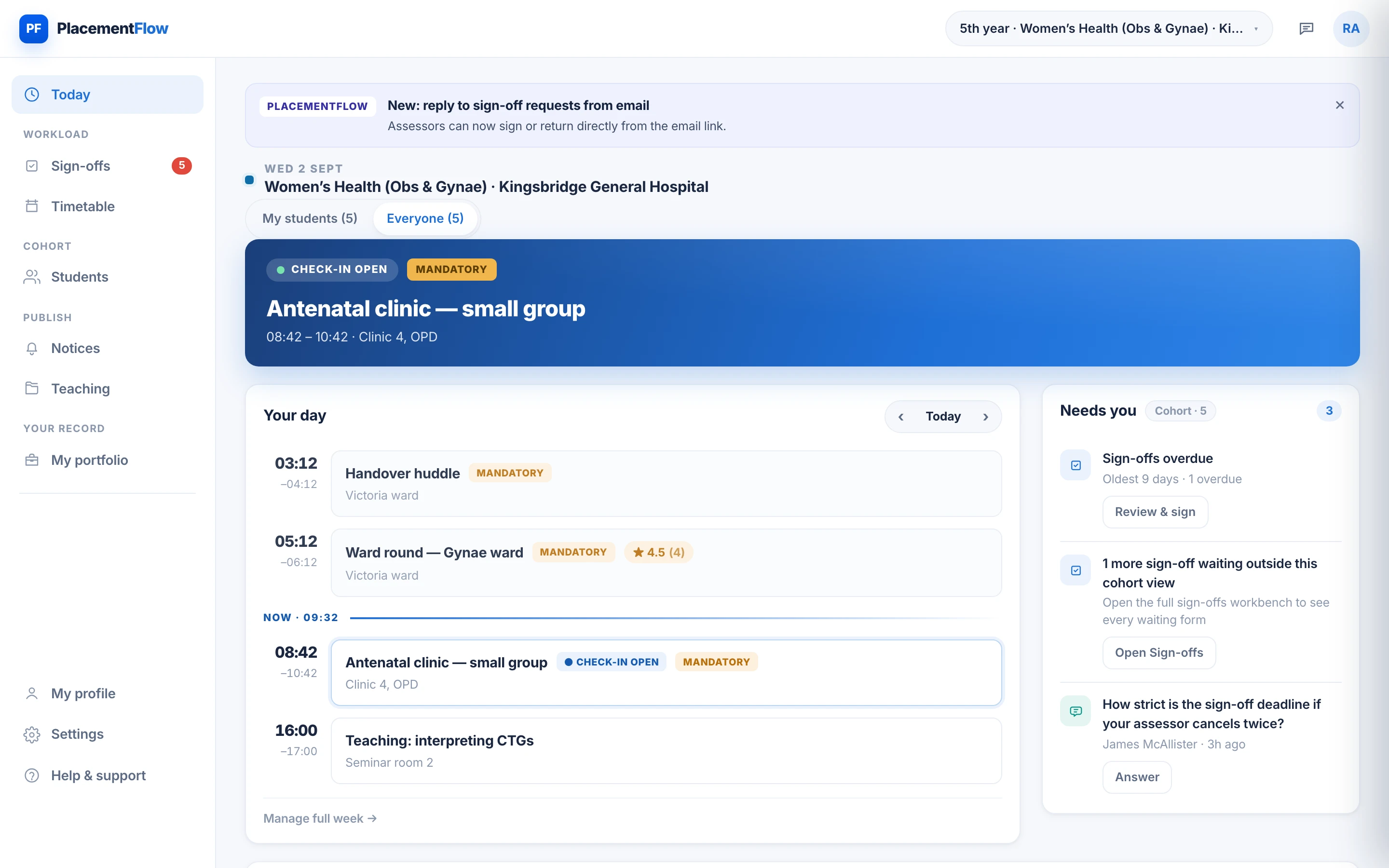
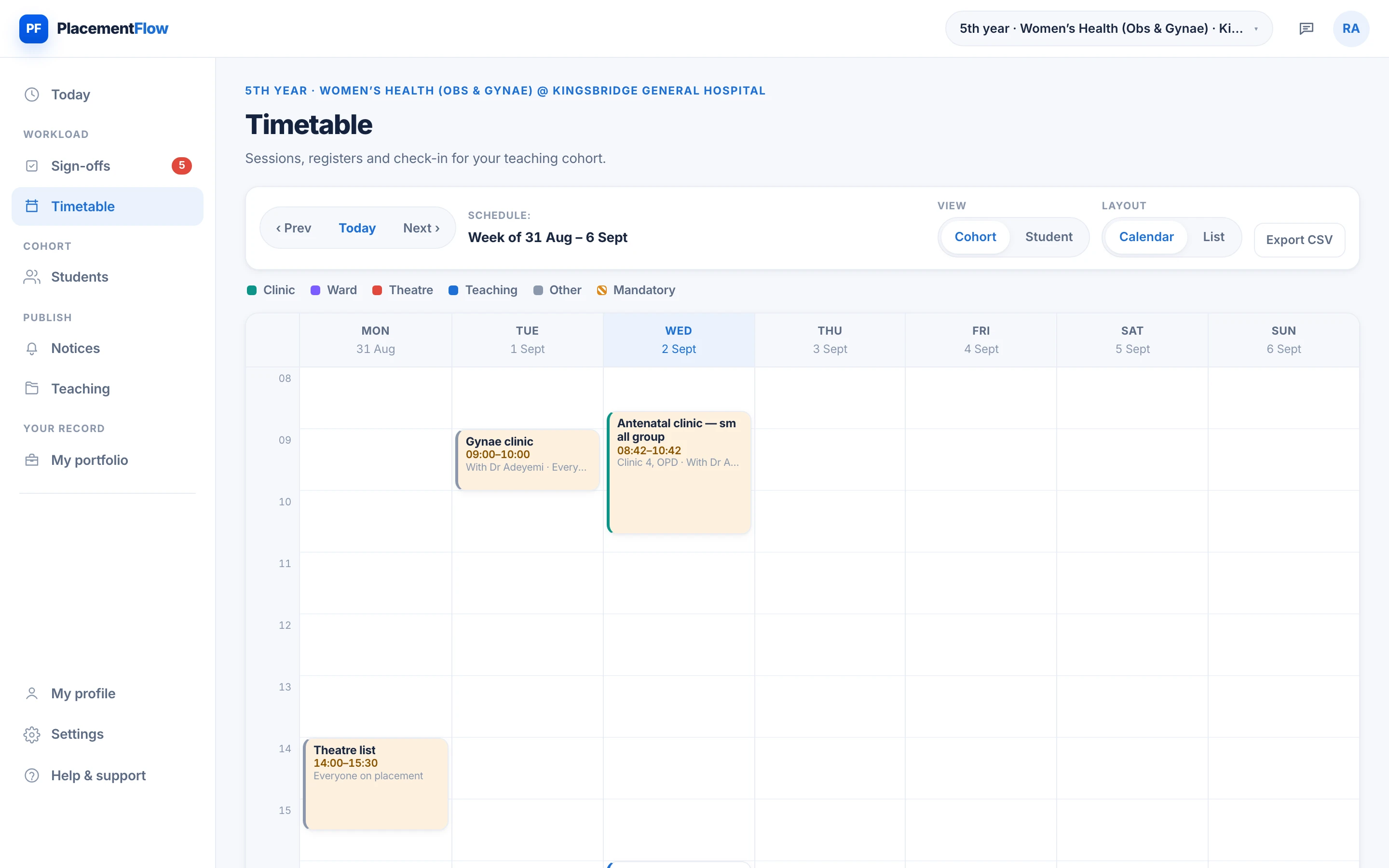
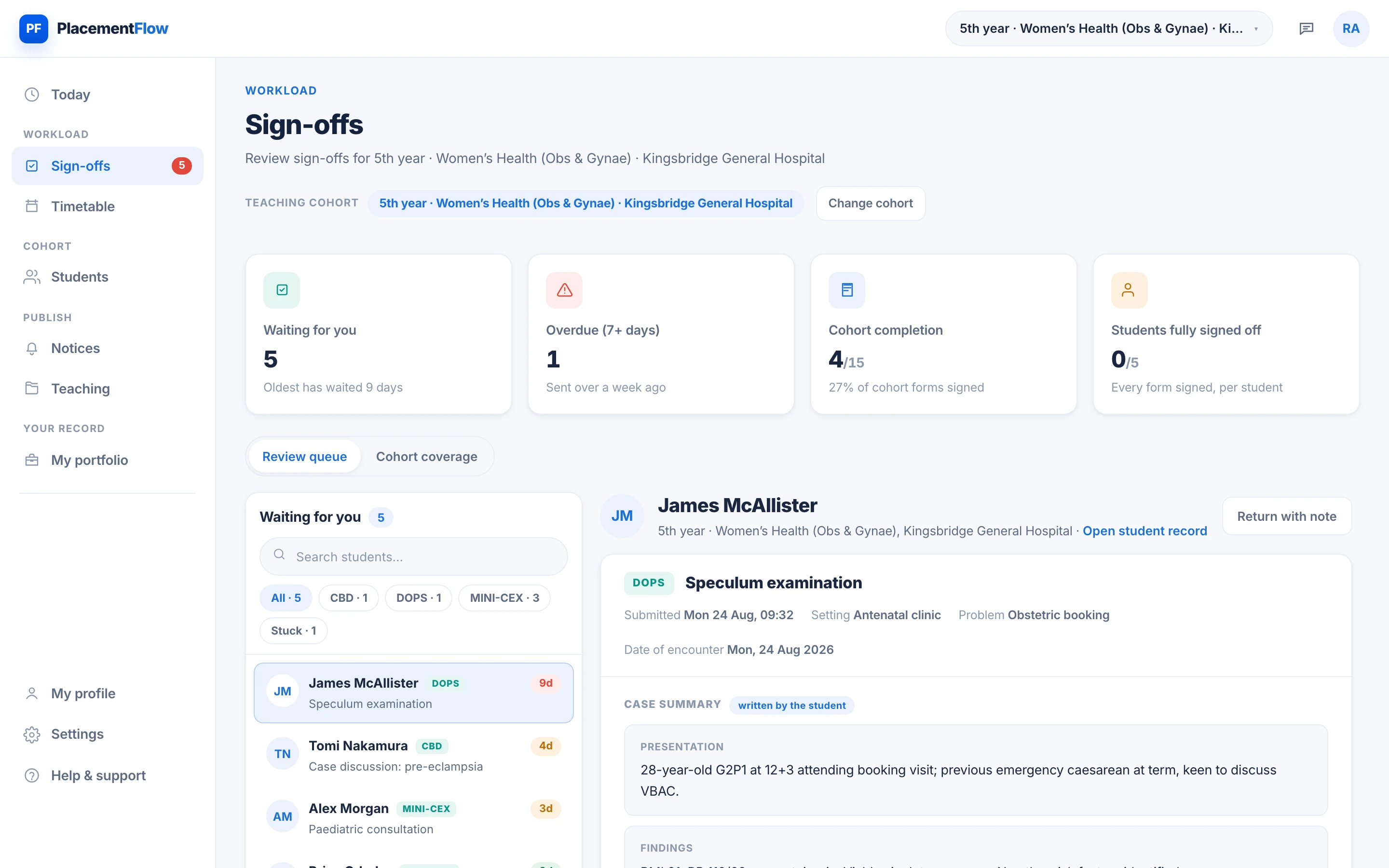
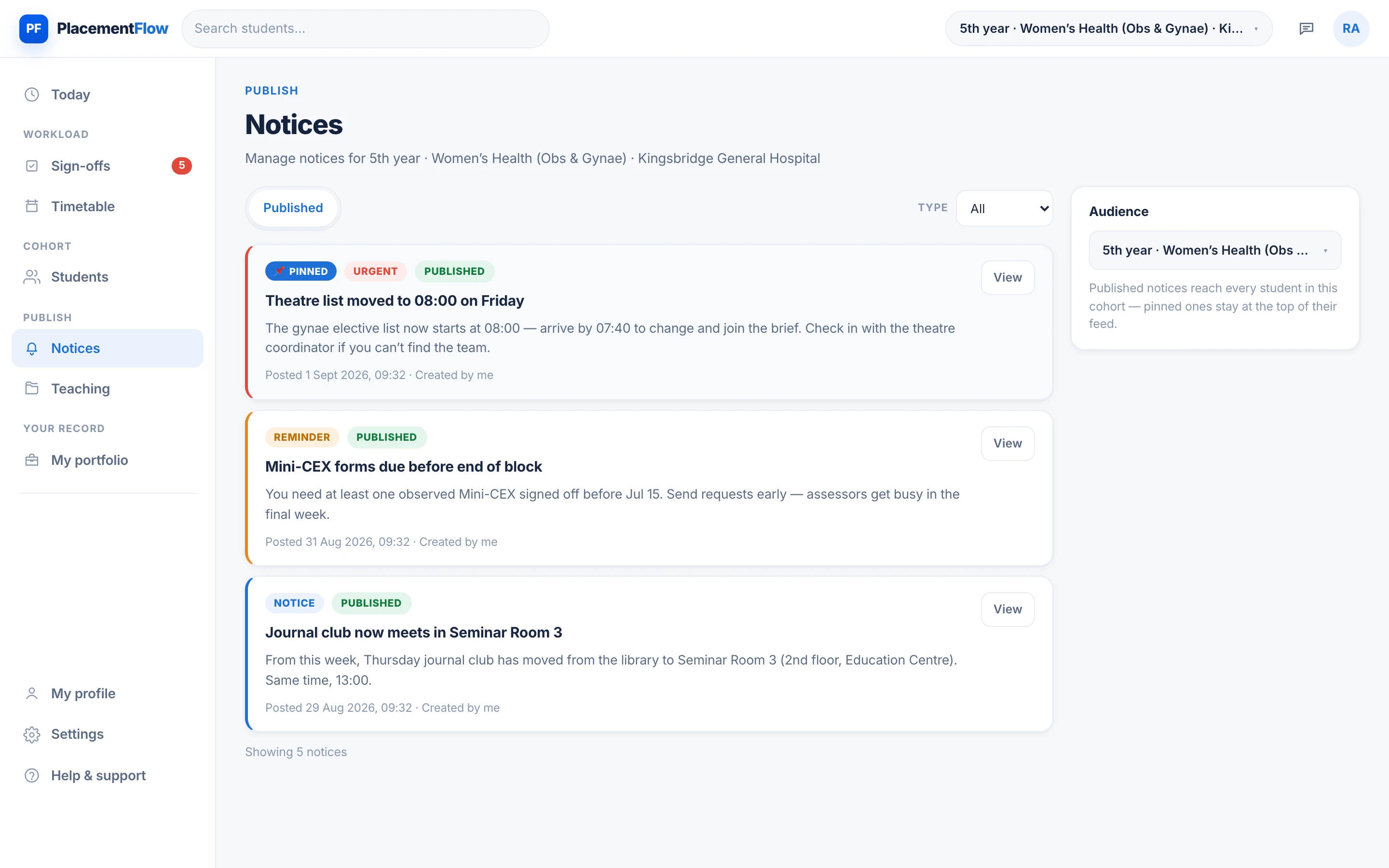
One placement day.
One live record.
Each action on the ward is written to the same record the moment it happens.
-
The day’s clinics, theatre lists and teaching go to the right students.
-
A QR scan at the session updates the live register.
-
An assessment request lands in the clinician’s review queue.
-
Signed feedback files into the student’s evidence, attributably.
-
A session moves — every affected student is told once.
Real PlacementFlow screens, shown with an illustrative demo cohort.
One system.
Three different working days.
Your placement, and what it still needs from you.
- The week ahead, and one-tap check-in at the session
- Ask for a Mini-CEX, DOPS or case discussion from the ward
- Signed feedback files straight into your record
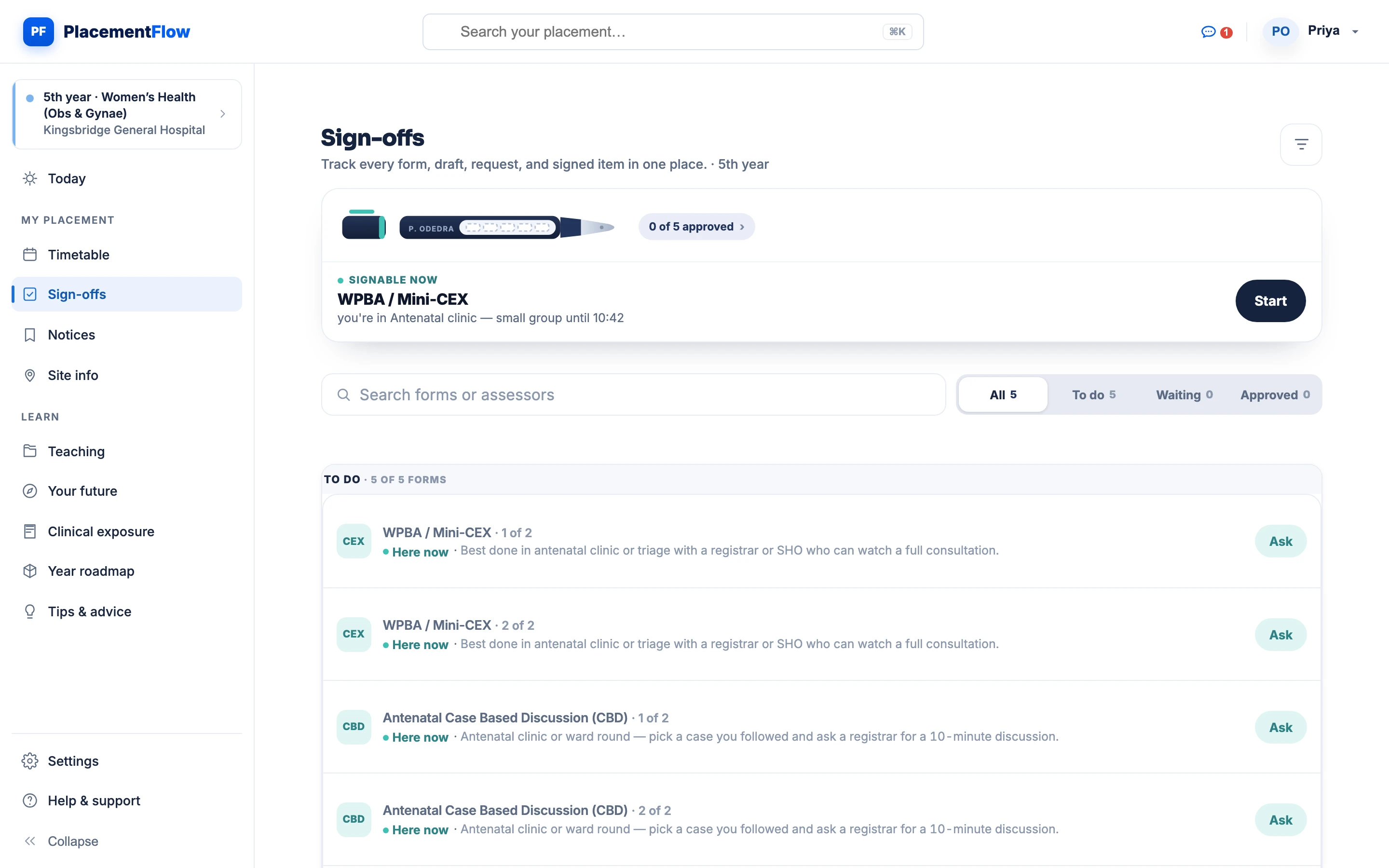
The clinical day, with the cohort already in it.
- Who has checked in, as it happens
- Sign-off requests waiting for you, oldest first
- A notice to the whole cohort, sent once
The block in one view, kept current.
- The published week for the whole cohort
- Attendance coverage without chasing registers
- A change reaches every affected student
What it replaces
The chasing stops.
Most placements run on four things that were never designed for the job. Each has a place in PlacementFlow, and none of them needs reconstructing at the end of the block.
- Before The register spreadsheet A live QR registerFilled at the door, at source, with one-tap present, excused or absent for anyone who couldn't scan.
- Before The emailed timetable PDF One published weekChange it once; every affected student sees the current version, mandatory sessions flagged.
- Before The paper Mini-CEX Signed on the wardStructured ratings and a note, in the student's record the moment the assessor signs.
- Before The group-chat announcement One pinned noticeReaches the affected cohort and stays at the top of every student's feed until it's done.
How a pilot runs
Reviewed, discussed, then configured.
A request starts a conversation, not a workspace. Nothing is configured until we have spoken with your team.
-
We review the fit
Your programme, cohort and current placement workflow.
-
We speak with your team
A short discovery conversation covers requirements, governance and timing.
-
We configure a pilot
Years, sites, rotations, assessment forms and sign-off rules, set up with authorised school staff.
-
Start with one rotation
Run a block on it, then look at the record together.
Every request is reviewed by a person. Sending the form is an expression of interest, not a licence agreement or a confirmed launch.
Placement support through your school.
Learning tools beyond it.
The placement record runs through your university. The learning tools open to every student as each studio is released.
Through your university
- Live timetable and site guidance
- QR check-in and attendance
- Sign-offs and written feedback
- Placement notices and teaching
- One placement record
Switched on when your school joins PlacementFlow.
Learn with PlacementFlow
- Learn Teaching Studios for the conditions you meet on the ward. In development
- Practise ECG Studio — systematic interpretation, case by case. Limited pilot
- Apply Clinical examination and structured histories at the bedside. In development
- Plan Specialty pathways and what to log while you're there. In development
Studios open in stages, after clinical review. A free account shows what's available for you today.
Built around your programme.
Set up with your placement team — years, sites, rotations, assessment forms and sign-off rules — so the system opens already speaking your programme's language.
Guardrails by default.
Roles are assigned server-side. Records are timestamped and attributable. Placement records must never contain patient-identifiable information.
How we handle securityQuestions placement leads ask
Straight answers, before the first call.
What does setting up involve on our side?
A short discovery conversation, then configuration with authorised school staff: years, sites, rotations, assessment forms and sign-off rules. Nothing is created automatically from a form.
What about patient data?
None, ever. Placement records hold conditions, skills, reflections and feedback — never patient-identifiable information — and every free-text entry point in the app says so.
Do students need to install anything?
No. PlacementFlow runs in the browser on any phone or laptop, so QR check-in, sign-off requests and returned feedback already work from a phone. Native apps are in development.
Who decides what each person can see?
Roles are assigned server-side by the platform, not chosen by users. Students see their own record, clinicians their cohort, placement teams coverage across it. Elevated roles cannot be self-claimed.
How is a pilot scoped?
Start with one rotation. We review the fit, speak with your team and configure a pilot around your curriculum. Sending the form is an expression of interest, not a licence agreement or a confirmed launch.
Where does the data live, and who processes it?
PlacementFlow Limited is the data controller. Data is encrypted in transit, access rules are enforced by database security rules, and sensitive operations run server-side. Named providers include Google Firebase and Google Cloud, and some may process data outside the UK. The privacy policy sets this out in full.
Start with one rotation.
Tell us how your school runs placements today, and we'll explore a pilot configured around your curriculum.
Every request is reviewed by a person.